Risk Register
One view to see, search, and act on all security risk across your organization.
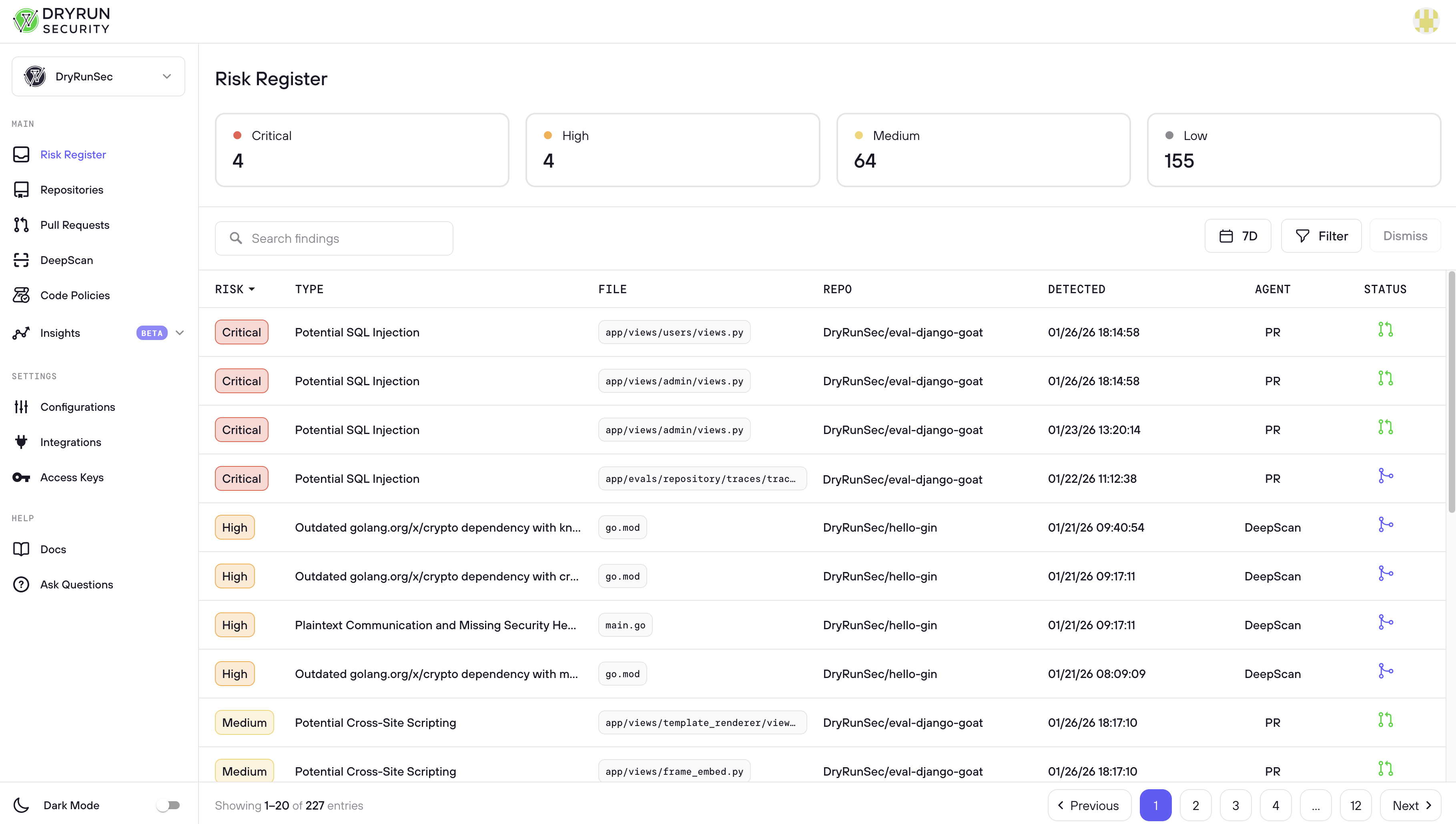
The Risk Register is the working space for AppSec engineers, designed to surface findings that need action taken. It aggregates findings from two sources: the PR Scanner, which reviews every pull request for vulnerabilities in real time, and DeepScan, which performs full-repository security analysis on demand. Findings range from critical vulnerabilities and secrets exposures to policy violations and dependency risks. Because these findings represent real or potential security issues in your codebase, the Risk Register provides a single place to review, triage, and act on them before they become incidents.
Common Workflows
Reviewing Merged Risk
Filter by “merged” PR status. This shows findings DryRun Security identified as containing a vulnerability but that were merged anyway, meaning the vulnerability lives in the codebase. These represent accepted or overlooked risk and should be reviewed to determine if remediation is needed.
Triaging Open PRs
Filter by “open” PR status. This surfaces findings on pull requests that are still open and have not been merged to main yet. Because the PR is still open, there is still time to fix the issue before it reaches production. These findings should be prioritized and actioned first.
Draft PRs are also surfaced here. DryRun Security scans draft PRs and surfaces findings in the Risk Register, but does not post comments to the SCM until the PR is marked ready for review.
Reviewing Dismissed Findings
Filter to show dismissed findings. AppSec engineers can see who dismissed each finding and take appropriate follow-up action: override the dismissal if the finding represents real risk, reach out to the developer to help educate them, or stay informed about what is being marked as “won’t fix”, “nit pick”, or “false positive”. This workflow supports both risk oversight and developer security education.
Search and Filter
The Risk Register provides several ways to narrow your view:
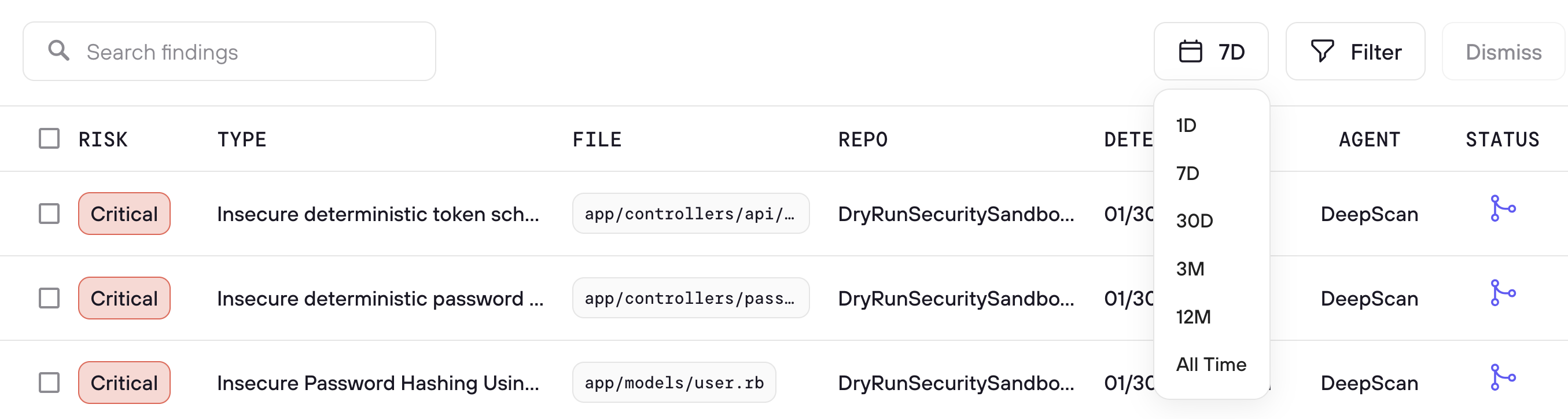
- Search - A full-text search box lets you search across finding titles, file paths, repository names, PR titles, PR numbers, and other fields
- 30D date filter - Quickly scope findings to the last 30 days, or adjust the date range to match your review period
- Filter - Opens advanced filtering options to narrow by risk level, agent type (including Code Policy), status, and more
- Triage - Select one or more findings and triage them in bulk with a reason and optional context
Findings Table
The main findings table shows all findings with the following columns:
| Column | Description |
|---|---|
| Risk | Severity label (Critical, High, Medium, Low) with color coding. Sortable. |
| Type | The vulnerability or finding description (e.g., "Authorization Bypass in Next.js", "Token Validation Check", "client-side-trust") |
| File | The file path where the finding was detected (e.g., package-lock.json, app/api/generate-vi..., firestore.rules) |
| Repo | The repository name where the finding originated |
| Detected | Timestamp showing when the finding was first detected (e.g., 03/18/26 16:51:18) |
| Agent | Which agent produced the finding - SCA, Code Policy, DeepScan, or a specific Security Analyzer |
| Status | The current state of the finding, shown as an icon indicating open, triaged, or resolved |
Each row has a checkbox for bulk selection, and findings are paginated (e.g., "Showing 1-20 of 203 entries") with page navigation at the bottom.