PR Blocking
Configure DryRun Security to block pull requests when critical vulnerabilities are detected.
Overview
DryRun Security can be configured to block pull requests from being merged when security findings exceed your defined thresholds. PR Blocking integrates with your source code management platform's native branch protection features to enforce security gates in your development workflow.
How It Works
When PR Blocking is enabled, DryRun Security reports its scan results as a required status check on each pull request. If findings meet or exceed the configured severity threshold, the check is marked as failed, preventing the PR from being merged until the issues are resolved.
- GitHub: DryRun Security integrates with GitHub's required status checks. Configure the DryRun Security check as required in your branch protection rules.
- GitLab: DryRun Security integrates with GitLab's merge request approval rules to block merges when findings are present.
Configuring PR Blocking
- Navigate to the DryRun Security dashboard.
- Go to Settings for the repository you want to configure.
- Under PR Blocking, enable the blocking toggle.
- Set the severity threshold - findings at or above this level will block the PR. Options include:
- Critical - Only block on critical severity findings.
- High - Block on high and critical findings.
- Medium - Block on medium, high, and critical findings.
- Low - Block on all findings.
- Configure your SCM's branch protection to require the DryRun Security status check.
Override Workflow
In cases where a blocked PR needs to be merged despite findings (for example, an accepted risk or false positive), authorized users can override the block:
- Use Finding Tuning with Feedback to mark findings as accepted risk or false positive.
- Repository administrators can bypass branch protection rules when necessary.
- All overrides are logged in the Risk Register for audit purposes.
Configure Blocking with Branch Protection
The recommended approach is to configure a severity threshold at the configuration level. Any finding at or above that threshold will trigger the blocking flow across all agents. See Configuring PR Blocking above.
For teams that prefer per-policy or per-analyzer blocking, that is still supported. After enabling Blocking on a specific policy or analyzer, follow these steps:
Set Up a Classic Branch Protection Rule
- On GitHub, navigate to the main page of the repository.
- Under your repository name, click Settings.
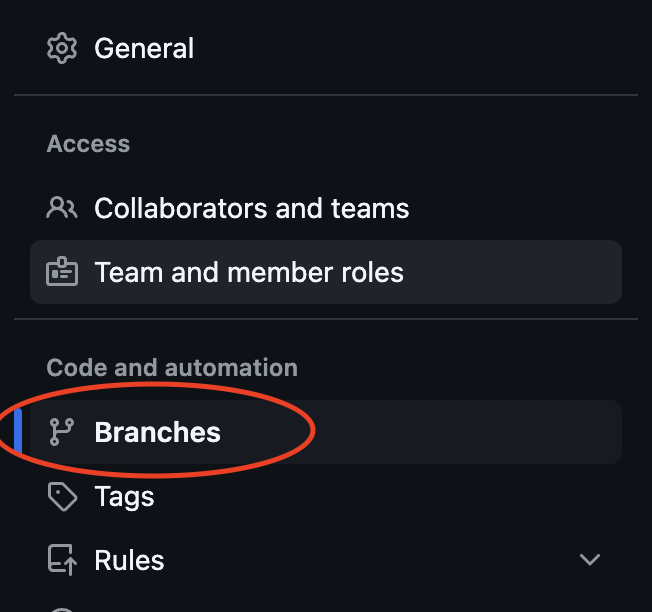
- In the Code and automation section of the sidebar, click Branches.
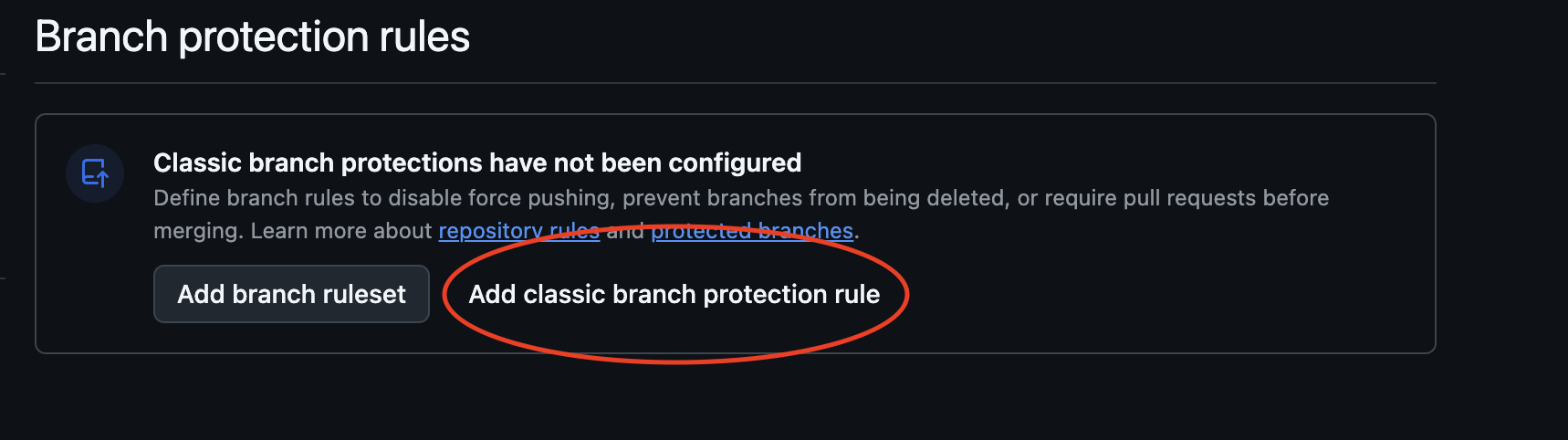
- Choose Add classic branch protection rule.
- Under Branch name pattern, type the name of the branch to protect (e.g.,
main). - Select Require status checks to pass before merging.
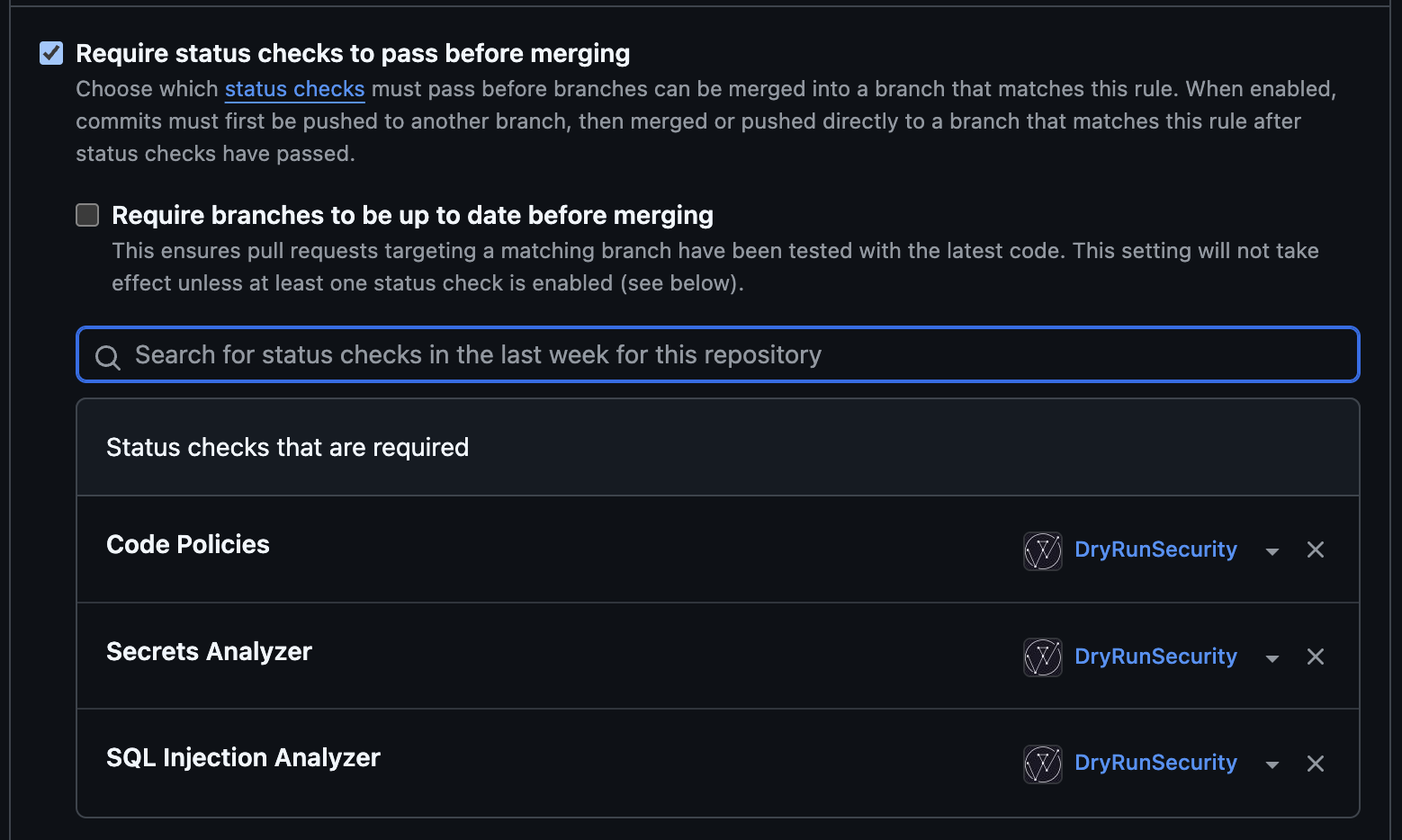
- In the search field, search for DryRun Security status checks to require. Choose Code Policies for Custom Code Policies, or the agent name (e.g., Secrets Analyzer) for Code Security Agents.
- Click Create.
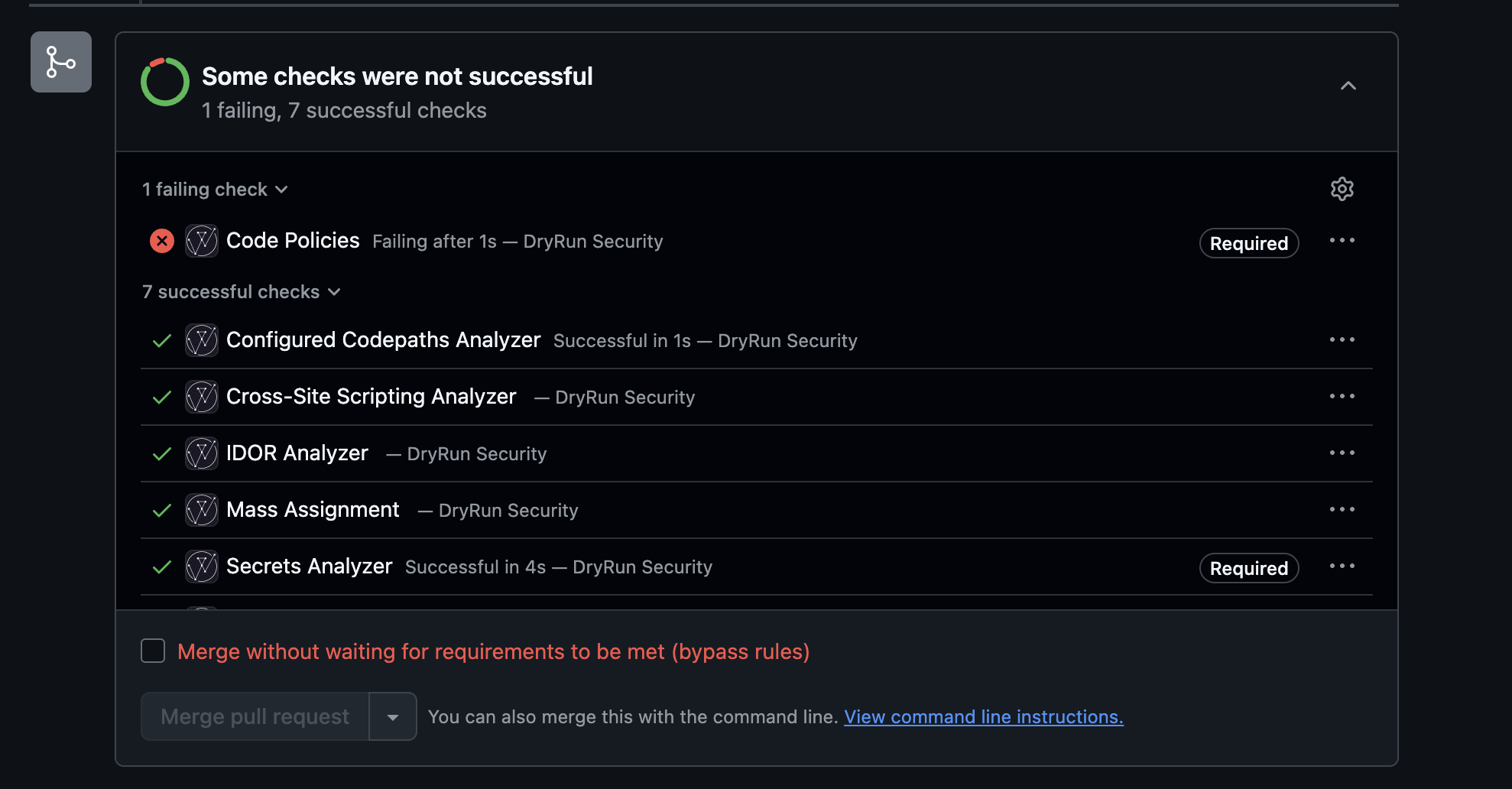
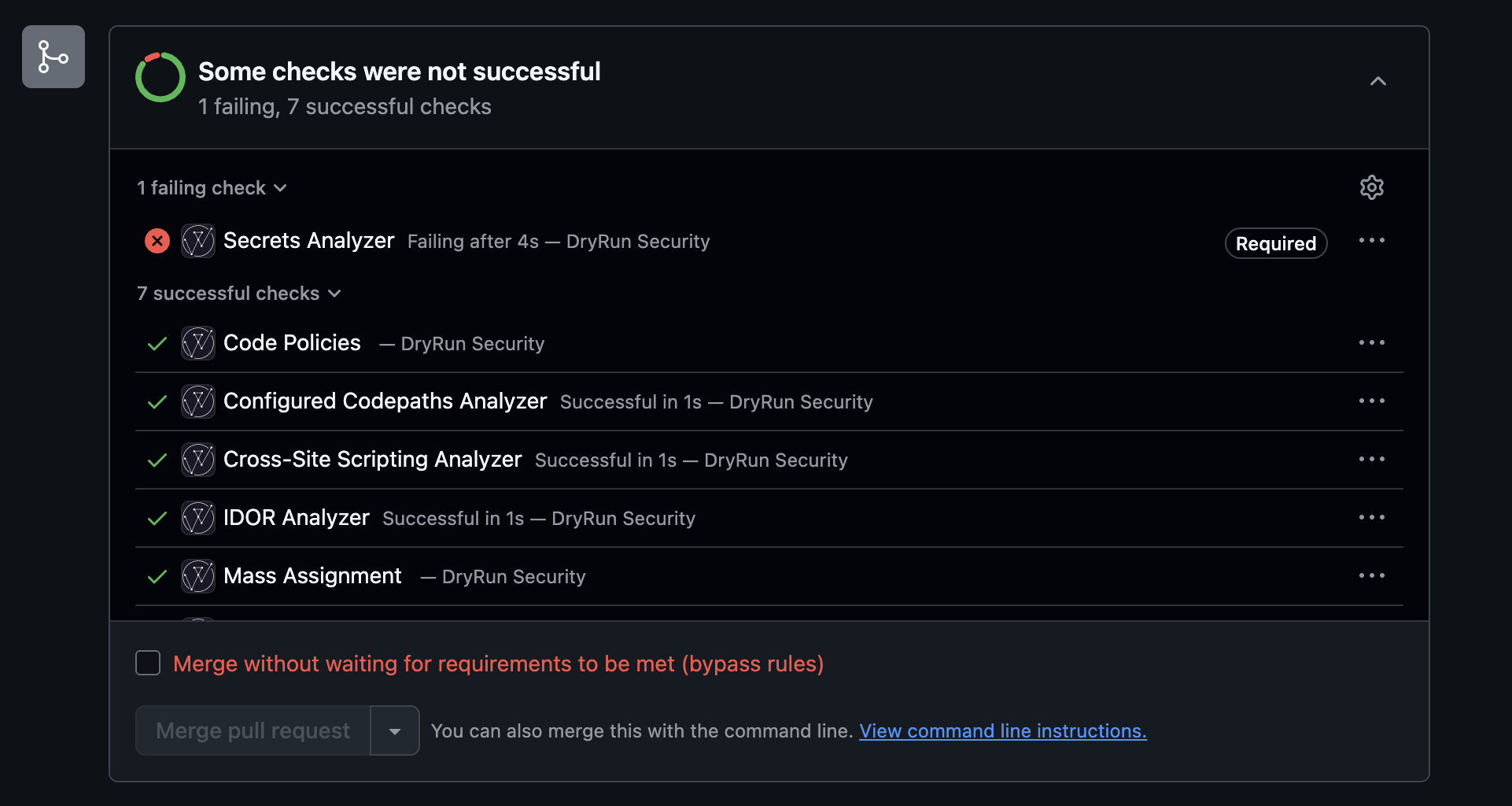
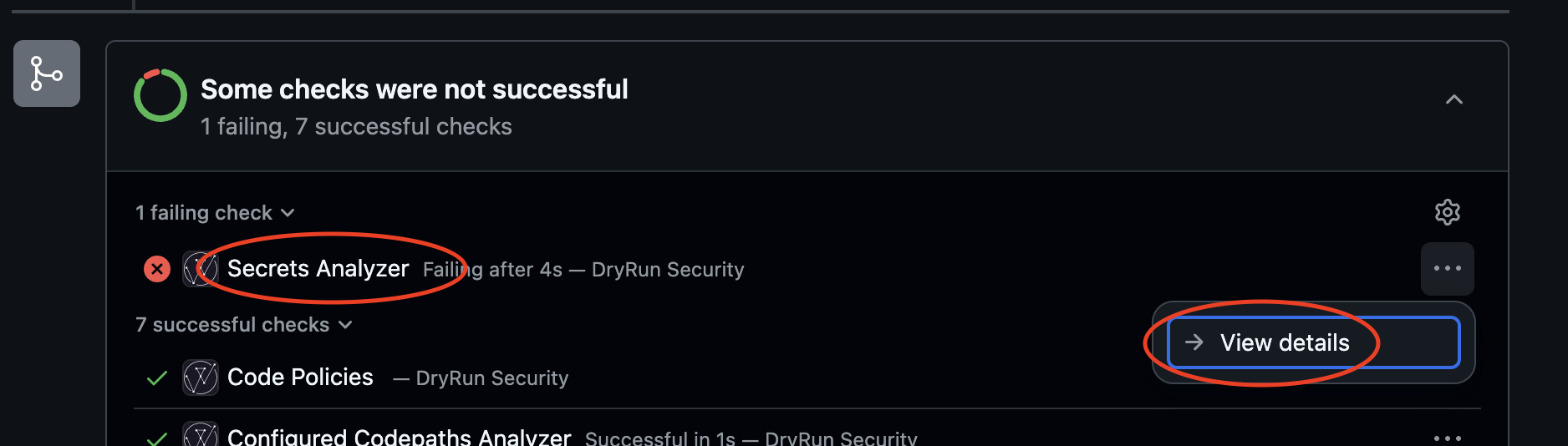
When a Custom Code Policy has Blocking enabled, it appears as a single Check in GitHub under the name Code Policies. When a Code Security Agent has blocking enabled, it appears as a Check with the agent's name (e.g., Secrets Analyzer).
GitHub Branch Protection Rules
Use GitHub Branch Protection Rules to enforce DryRun Security checks before merging.


Require DryRun Security status checks to pass before merging.