PR Scanning Configuration
Customize DryRun Security behavior per repository - enable agents, attach policies, configure blocking, and set up notifications.
Configurations let you customize how DryRun Security behaves for each repository or group of repositories. You can control which agents run, which policies are enforced, whether findings block PRs, and how notifications are delivered.
Creating a Configuration
- Log in to the DryRun Security portal at https://app.dryrun.security.
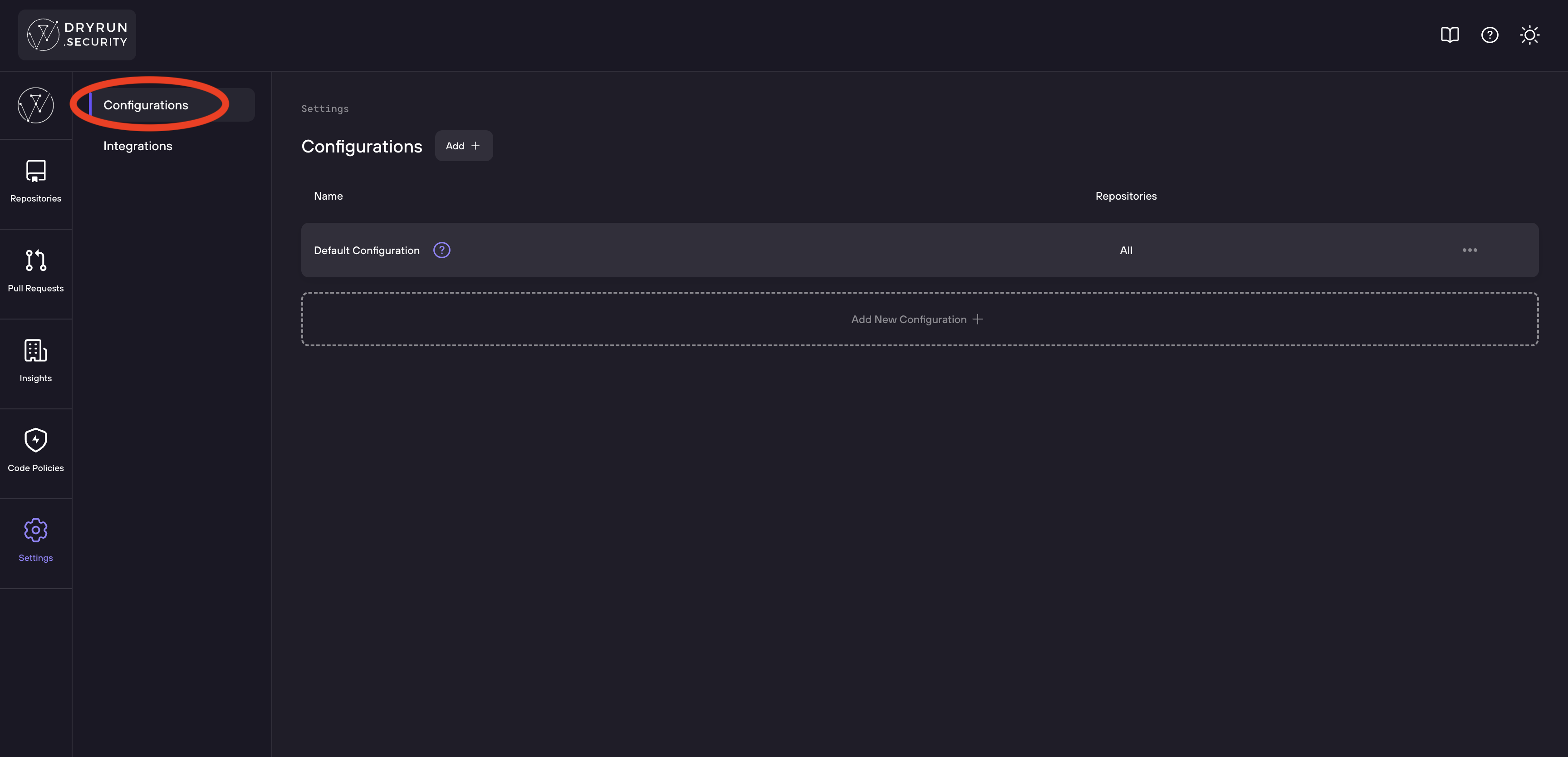
- Navigate to Settings > Configurations in the sidebar.
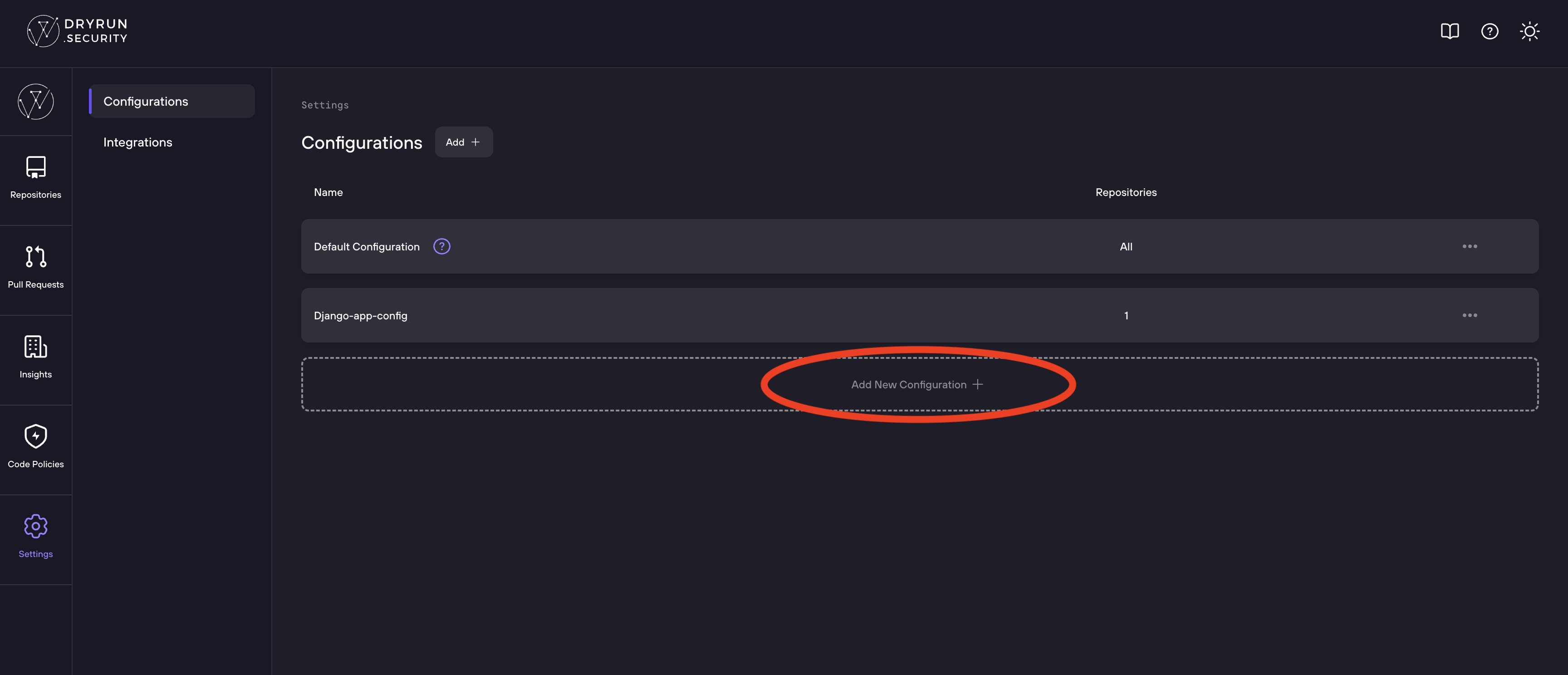
Note: Thedefaultconfiguration is editable and applies to all repositories not included in another configuration. - Click Add new Configuration +.
- Enter a Configuration Name at the top of the page.
Configuration Walkthrough
The Configurations page shows all your existing repository configurations.
Click Add New Configuration to create a configuration for your repositories.
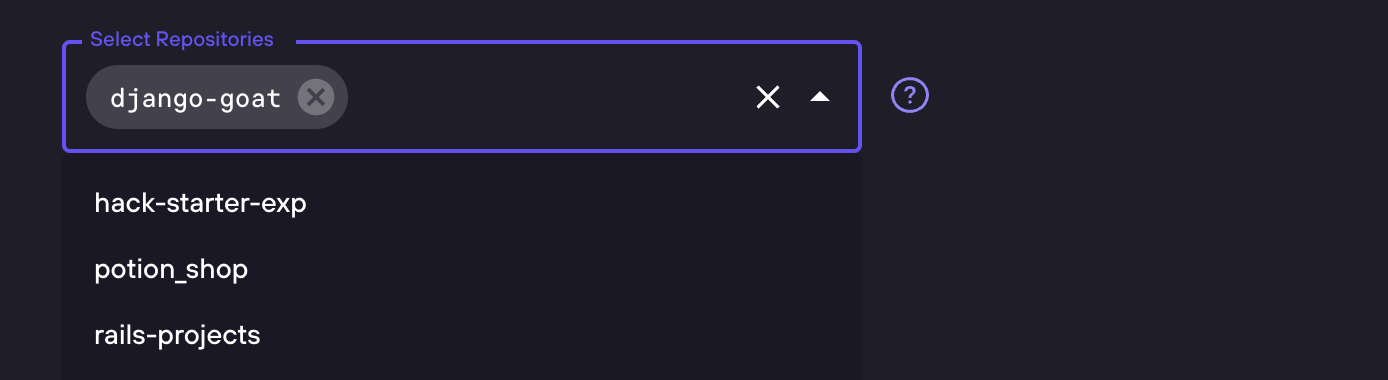
Select Repositories
Choose which repositories this configuration applies to.
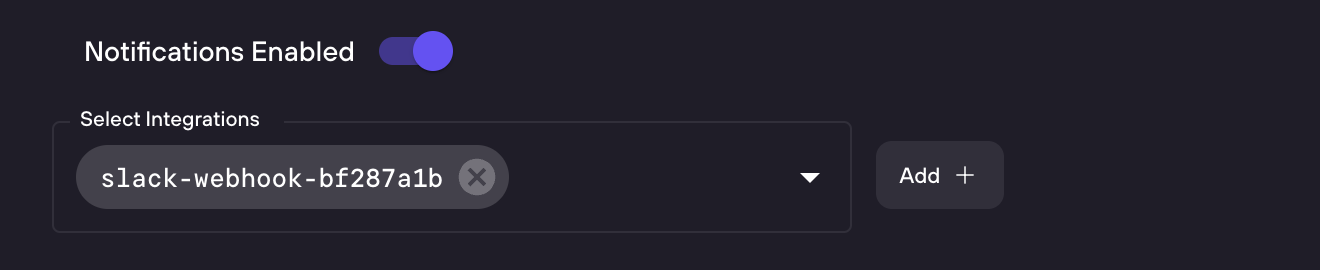
PR Comments and Notifications
Enable or disable PR issue comments for this configuration.

Enable notifications to get alerts when security findings are detected.
Draft PRs: Comments are not sent to draft PRs. Findings from draft PR scans still appear in the Risk Register dashboard, but no comment is posted to the SCM until the PR is marked ready for review.
Attach Code Policies
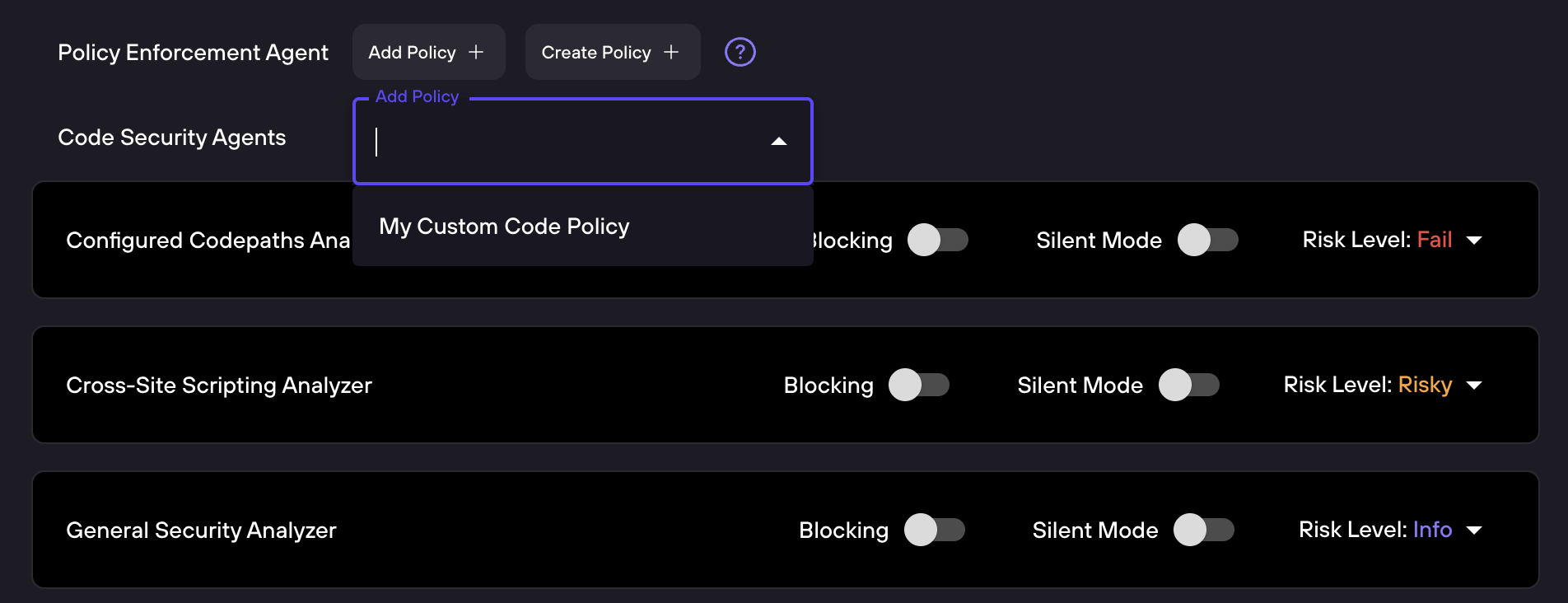
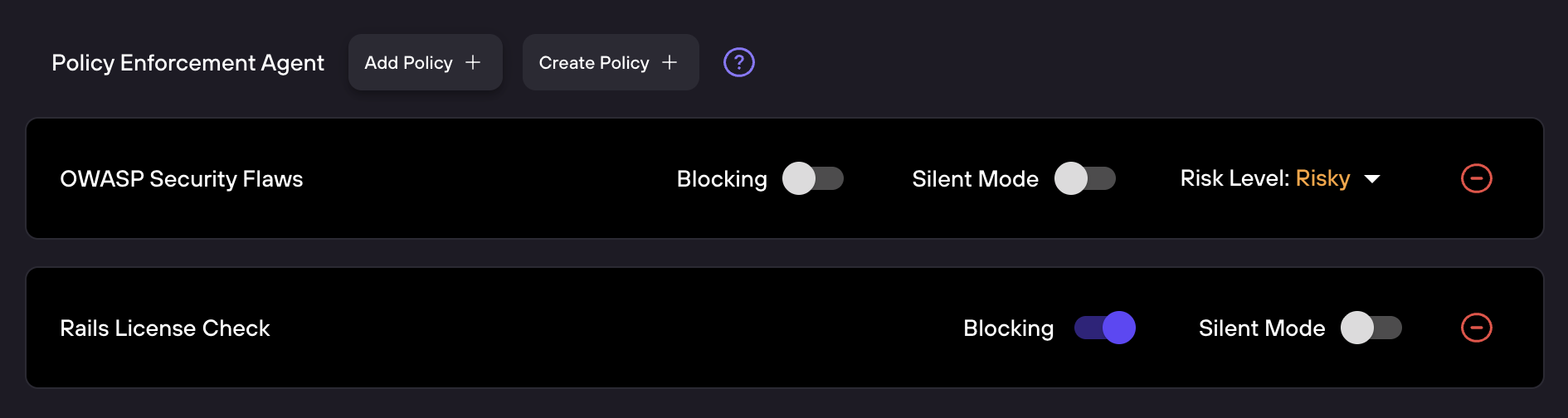
Add up to 7 Custom Code Policies to a configuration.
Code Security Agents
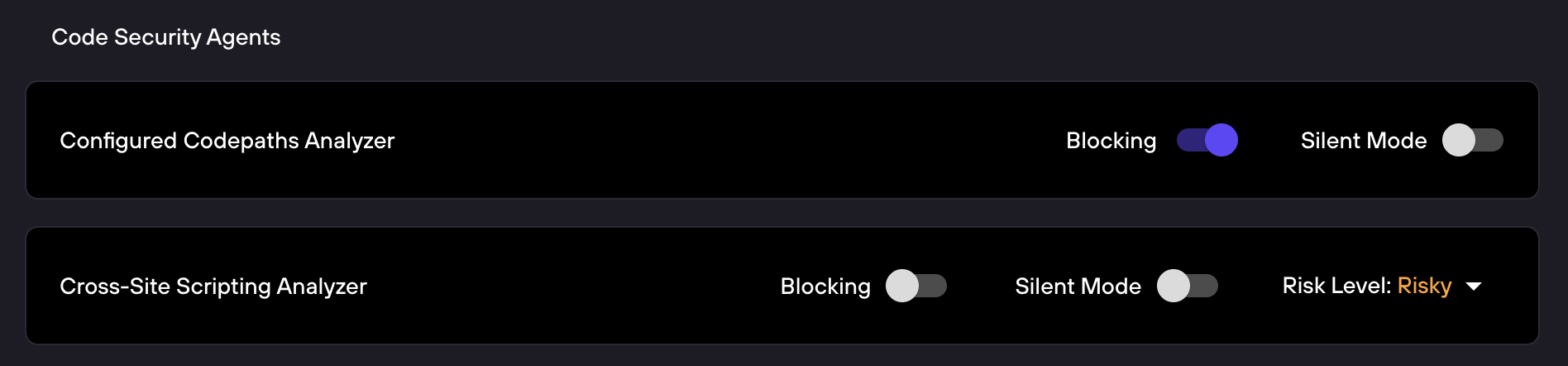
Configure which security agents are enabled and whether they block or run silently.
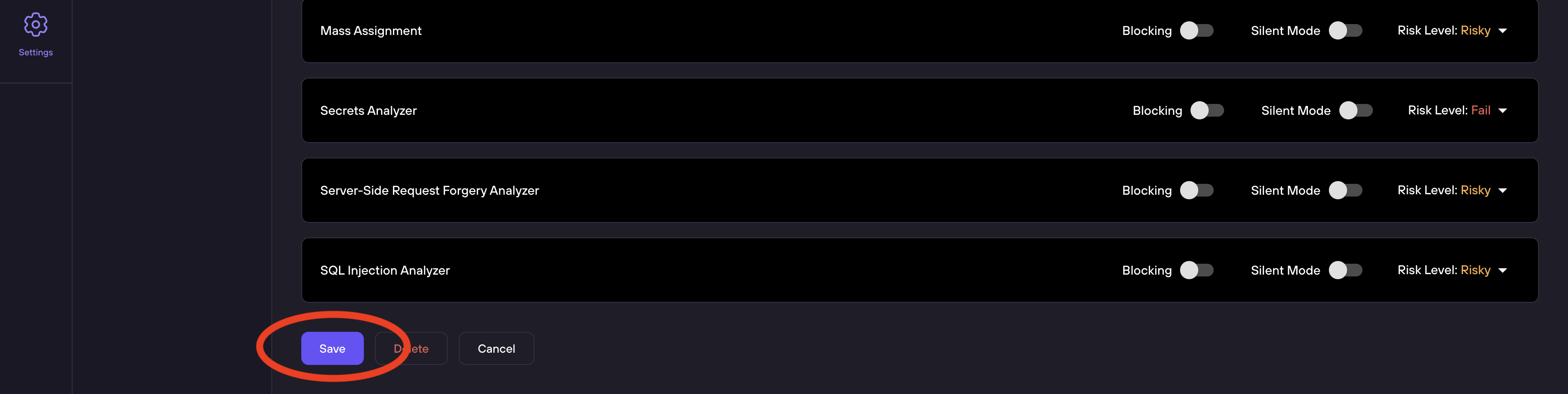
Save the configuration when complete.
Code Security Agents
The bottom section of the configuration page lists all available Security Analyzers. Each analyzer has its own row with three controls:
| Analyzer | Description |
|---|---|
| Cross-Site Scripting Analyzer | Detects XSS vulnerabilities across rendering contexts |
| General Security Analyzer | Broad-spectrum analyzer covering auth gaps, crypto, debug artifacts, and more |
| IDOR Analyzer | Surfaces broken object-level authorization |
| Mass Assignment | Detects unsafe model binding patterns |
| Secrets Analyzer | Catches committed credentials, API keys, and tokens |
| Server-Side Request Forgery Analyzer | Identifies SSRF via user-controlled outbound requests |
| SQL Injection Analyzer | Traces data flow to detect unsafe query composition |
Setting Descriptions
The top section of a configuration provides these controls:
- Select Repositories - A dropdown selector to choose which repositories use this configuration. Repositories can only belong to one configuration at a time; repositories already assigned to another configuration will be greyed out.
- Issue Comment Enabled - Toggle to enable or disable DryRun Security's PR/MR comment. When enabled, DryRun posts a summary comment on each pull request with findings. Comments are not sent to draft PRs; findings from draft PR scans are still visible in the Risk Register.
- PR Blocking Enabled - Toggle to enable PR blocking globally for this configuration. When enabled, findings from configured agents and policies will create GitHub status checks that must pass before merging.
- Notifications Enabled - Toggle to enable notification delivery. When enabled, choose which integrations receive alerts (see Notifications for setup details).
- Severity-Based PR Blocking - Toggle to block PRs based on severity. When enabled, set a minimum severity threshold; any finding at or above that level will block the PR from being merged. See PR Blocking for threshold options.
- Show Comment for No Findings - Toggle to control whether DryRun posts a comment even when no security findings are detected. Toggle off for the familiar behavior where DryRun posts a comment only when scans produce findings. Toggle on to have DryRun post a comment on every PR scanned, useful for visibility and audit trails.
- Deduplicate Notifications - Toggle to reduce duplicate notifications on PRs where the severity has not changed. When enabled, repeated notifications for the same severity are suppressed, reducing noise.
Policy Enforcement Agent
Below the general settings, the Policy Enforcement Agent section lets you attach Custom Code Policies to this configuration:
- Add Policy - Attach an existing policy from your organization's Policy Library
- Create Policy - Write a new Custom Code Policy directly from this screen
Each attached policy is shown as a row with its own controls:
- Blocking - Toggle to make this policy a required status check. When enabled, a policy violation prevents the PR from being merged.
- Silent Mode - Toggle to run the policy without posting findings in the PR comment. Useful for testing new policies before enforcing them.
- Risk Level - Dropdown to set the severity label returned when the policy has findings. Options are Critical, High, Medium, or Low.
The Policy Enforcement Agent can run up to 7 code policies per repository.